 Notelix
Answers in your
own hand.
Ask a question on the page. Notelix reads your real notes and writes the reply back as living ink — not a chat bubble off to the side.
- Reads the page you’re on — it sees your handwriting, diagrams and any PDF underneath.
- Writes real PencilKit ink — fully editable. Erase it, move it, keep writing around it.
- Remembers each note — follow-ups like “now part b” just work.
Press send — the answer writes itself in real ink, powered by the Tegaki engine ↑
Point. Ask. Watch it write.
Slice the context
Optionally lasso part of your page so the AI knows exactly what you’re asking about.
Choose the spot
Lasso where the answer should go — the help appears exactly where you’re working.
It writes in ink
The answer is drawn on stroke-by-stroke in your handwriting font, then committed as real, undoable ink.
Handwritten math.
Your language.
- Real handwritten mathFractions, roots, integrals, sums and Greek — drawn by hand, never raw LaTeX.
- Replies in your languageWrite in English, 中文, 한국어 or 日本語 — the reply matches, in a script-appropriate hand.
- Per-note memoryEach note keeps its own thread, so you can build on earlier answers.
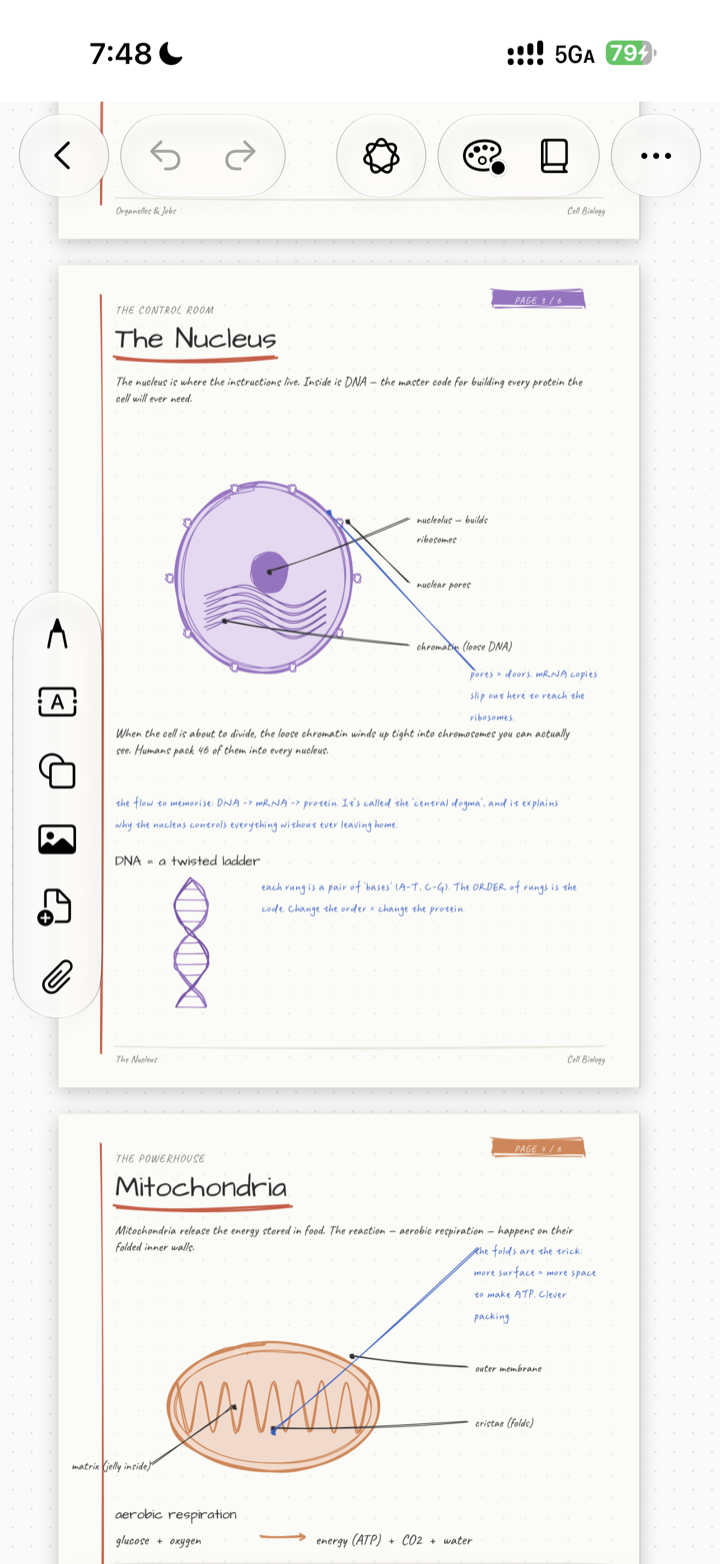
real ink, real equations
Ask for an equation.
Get it in ink.
Type or speak a prompt — “balance photosynthesis” — and Notelix lays the working down stroke by stroke, the way you’d write it yourself, ready to annotate.
photosynthesis, balanced & by hand
Every note remembers its own train of thought.
Notelix AI carries context inside the page you’re working on. It can see what you’ve already written and the answers it gave earlier in that note, so a follow-up like “now do part b” lands where you mean it. Open a different note and the slate is clean — context stays with the page it belongs to, not pooled across everything.
- Reads the page in front of itYour handwriting, diagrams and any PDF underneath are the context — no need to re-paste what’s already there.
- Keeps the note’s own threadEarlier questions and answers in this note stay in scope, so follow-ups build on what came before.
- Context stays with the pageEach note has its own memory. Switch notes and the conversation starts fresh — nothing bleeds across.
Built so your notes stay yours.
On device by default
Your notes live on your device. The AI is only reached when you ask it a question.
Not used to train
What you send to answer a question is used to write that answer — not to train models.
Encrypted in transit
The page snapshot and your text travel to the AI provider over HTTPS.
You own your notes
Export any time. Your handwriting and pages belong to you — never sold, never ads.
The AI only sees a page when you ask it to.
The page snapshot, typed text and handwriting transcription are sent through our processing server to our AI provider solely to write your answer. Full details in the Privacy Policy. AI needs a free Sign in with Apple; a handful of requests are free, and Plus unlocks expanded capacity.
Draw here. Notelix writes back.
A real ink surface — sketch with your mouse, finger, or Apple Pencil, then ask Notelix for a reply written in genuine Tegaki handwriting.